Showing posts with label Education. Show all posts

Sunday, June 8, 2014

Videos in ESL

One of the first memories that I have is my father filming our family travels with his old Sony video-camera and later recording them into a cassette tape (yes I'm from the cassette tape era don't judge me). Videos, since the introduction of videocameras and video cassette tapes, have been one of the most used tools for almost every application. From videos for recipes, to music instructional to every instruments, videos are one of the sought after tools in education. Videos have been in a constant evolution, from video tape videos to the most recent tools like Youtube, Vimeo, webcams, etc. As a whole, videos are one of the most complete ICT that teachers have at hand when teaching a class because it has almost, not to say all of the elements of the ICT I have mentioned in my previous posts. For example, you can have a video blog oriented to teaching like for example this:


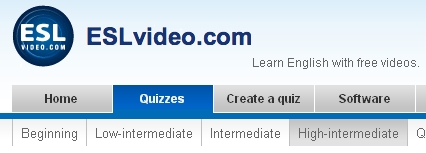
As you can see, videos encompasses both the discursive and visual tools that teachers in any subject can use. As I mentioned earlier, videos have been there for ages in the form of instructional videos, me as a musician consider instructional videos a valuable tool because it haves both the audio elements, the visual elements that help me as a person who is learning get the concepts and knowledge easily. In ESL, and in many areas of teaching videos can be applied as a valuable educational tool, like is in the case of the web page /www.teachwithvideo.com, a project dedicated to teaching any subject through videos. Another we can find is the web page www.eslvideo.com, this web page is dedicated mainly to ESL. The page provides many activities such as songs, unit lessons, quizzes, even exams. To me, eslvideo.com is one of the most complete page for ESL teaching. Another web page is http://www.teachertrainingvideos.com/ a web page to teaching teachers in how to teach and use tools and activities in his or her classrooms.


Another way of using videos as an ICT is through the web page Youtube. Youtube, since its creation in 2007, Youtube has become as one of the most important social tools that people all around the world use, according to the webpage (N.D) more than 1 billion of people visit the page each month. Having said that, teachers can post videos and tutorials that can help people, either students or casual learners and even teachers. An example is the Youtube channel created by this lady called JenniferESL, you can visit her in the following link: https://www.youtube.com/user/JenniferESL, this channel contains tutorials and lessons for beginners, intermediate and advance English students: 


To sum up, videos are an amazing tool for teachers to use in their classroom since it is a combination of both images, words and audio elements that facilitates the process of learning to the students. Thanks for reading my post and I invite you all to my Youtube channel in which I'm posting some ESL teaching related videos https://www.youtube.com/channel/UC4NTuk61h5rRHLc_9e1zeDg. Over and out!

Tuesday, June 3, 2014

Podcast and its uses as an ICT Tool

In most of my post, I have talked about ICT that makes us write and post and share information in a written way. Most of you might think "is there any other ICT that I can create without writing a ton of paragraphs like the ones you are making?" Well, the answer is yes. Since we are working with technologies we can use many ways to express ourselves, including oral speech, like is in the case of podcast. Podcast or Netcast are according to Dictionary.com (N.D) "a digital audio or video file or recording, usually part of a themed series that can be downloaded from a website to a media player or computer”. We can say that podcast are sort of a new age radio program that we as Internet users can create and express ourselves. Podcast are of many different kind, we have music podcast, literature podcast, politics podcasts even art podcast.


In my experience, I had the chance to participate in two podcast, one was a music podcast that I had the chance to write the script for the person who was hosting the podcast. The other one, I was in charge of putting music and jingles to the podcast itself. I must say that podcast are a more reliable tool than radio programs because you can post your podcast and people can listen to it at any time without following a certain schedule that radio stations have, unless the podcast is a live stream. You guys are wondering “well, podcast are a nice tool, but how I, as a teacher, can apply them to my school program or activities?” Since we are working with a more audio related medium such as podcasts, you as a teacher can elaborate activities related to listening comprehension. Let’s say for example you post an interview on your podcast and at the description you put a set of questions based on the interview, by making this you are developing your students’ listening comprehension skills. Other use in which you can apply podcasts is to assess your pupils’ pronunciation and use of vocabulary. By making your students create a podcast of their own favorite topic or a theme that you want to use for a certain unit or chapter of the book, you can assess and evaluate the use of vocabulary, pronunciation and their use of language in their own podcast. Other uses can be if you are preparing a dictation activity, you can post a podcast on your page or wiki and make the students listen to it without using any tapes or disks, or simply you can post a chapter in which you’ll talk about a certain topic, make the students listen to it, and later on discuss it in class.


To conclude, even though podcast are more oriented to listening comprehension and pronunciation, we can still find its uses in our classrooms. As I said before, podcasts are a great communication school because it can reach to more and more people around the world since you are talking, also it gives you more room to prepare more interactive activities such as discussion forums, interviews, etc. Hope you like this post, and I invite you all to follow my podcast http://giacomederico.podbean.com/, and I invite you all to create a podcast and try it yourselves, see you on my next post. Over and out!


Monday, May 26, 2014

Teaching Through Wikis

Let’s say that you don’t want to send a ton of emails to your students with the evaluation plan, program or classrooms activities because most of the emails that the students gave to you are going to bounce back, either they wrote it incorrectly or that someone didn’t receive anything and you wish that all that information were stored in  a place where your students, supervisors and even your students’ parents can see, download or even participate in the making of information for that place or webpage. Ladies and gentlemen, I give you the Wikis. What is a Wiki you might say? Well, basically Wikis are shared pages from the web 2.0 era that lets people post and share information at any time and any place. The main feature of the Wikis is that more than one person can participate on the development of the Wiki, by posting or editing previous or new information. Let’s take the example of the famous/infamous case of Wikipedia, this page is a shared one in which people post information for educational, research purposes. In it, we can find topics regarding, health, history, sports or music.
Other cases of Wikis are the ones that are specialized on a certain topic, like for example a videogame wiki like the League of Legends Wiki where the users post information about the game, also they post strategy in order to master a character or explanation of the rules of the game per se. How does a Wiki differentiate itself from other tools such as a blog for example? Like I mentioned before, more than one user can post or edit information that is published on the wiki, also, the content is dynamic, being that it can change from time to time in order to keep the information fresh and updated. Another aspect is that the information is organized in pages rather than in post entries (like in the case of my blog). Other feature is that the interaction between users and editors is less limited like in blogs where it is only limited in the comment section of each post. Wikis are useful tools for education too, imagine that you can post the program of your subject, your evaluation plan and weekly activities and each of your students are notified without having to send tons of emails. It sounds awesome, right? Well it gets better; since it’s a shared page you can let your students be editors or writers of your own wiki, letting them post their weekly assignments, or you can have them participate in forums of discussion. The uses of a Wiki for ESL are huge, you can assess and evaluate the student’s writing activities if you want to use your wiki as a tool to assess and evaluate writing skills, also you can use it to check your student’s reading skills or listening skills with readings or videos. Other uses are for posting vocabulary list of the units that you are working on, or a verb list with their respective conjugation. Summing up, I invite you all teachers to use Wikis in your classrooms, also I invite you all to my wiki: http://listeningcomprehensionclass.pbworks.com/, it is still under construction, but soon I’ll start to post activities. Over and out!

Sunday, May 25, 2014

Blogs as an ICT Tool for Teaching


Web 1.0 and Web 2.0 tools have been useful in the passing, sharing and creation of information since the Internet was established back in the 90’s. Being a social media like Facebook or Twitter, a cloud service like Soundcloud or Dropbox or a video uploader webpage like Youtube or Tubeplus we can let people from around the world our points of view about a certain topic, show a new creation, recipe, song or whatever you do. One of the most used tools in the Web 1.0 and Web 2.0 world are Web-blogs, or commonly known as Blogs. Blogs are like personal logs that people can post on the web and share it to the whole wide world. Since their creation, blogs have been a staple in both Web 1.0 and Web 2.0. Blogs not only are used for personal thoughts, or opinions, nowadays we can see through the web many different blogs, cooking blogs, travelling blogs, music blogs and even literary blogs. You might be wondering, "Where can I start my blog?" Well there are many ways where you can start a blog, one way is through blogger (this webpage for example). Other ways are Wordpress, Tumblr or even in Facebook you can carry a blog. Even though, the concept of video blogging have been established through Youtube, the blogs have remained still becoming one of the most used tools by Internet users.


But, how can I use blogs as a teaching tool? The answer is quite simple. For those who have read my previous post on ICT and its uses in teaching, you can see that blogs can become quite a tool on your classrooms. Imagine yourself that you want to make a reading comprehension activity but you don’t want to print 25, 35 or 50 copies of a reading for your classroom. Instead you can post the reading on your school blog for your students to read and also post, either questions regarding the reading or you can create a forum discussion for them to post their opinions or thoughts. Let’s say that instead of a reading comprehension activity, you want to make a listening comprehension activity, you can opt for posting a video or a song (it can be with the lyrics in order to evaluate both reading and listening comprehension) and you can post a series of questions regarding the video or song that you posted. One of the ideas that I'm going to put on next year for my students is for them to carry and administer a blog of their own. By having this, I, as a teacher, I can evaluate and asses the student’s writing skills and their use of grammar, vocabulary taught in class. With the use of personal blogs, students can learn a second language by expressing themselves, letting them use their favorite topics or things, but having some limitations in order for the teacher to correctly asses or evaluate. As you can see my fellow readers, blogs are an awesome tool for you teachers to use, I invite you all to use them and have good time! Over and out.  


Thursday, May 22, 2014

Constant Motion: The Never-Ending Evolution of Internet and its Application in the Field of Education

The Internet since its introduction as a public tool for information or media, it has not stopped evolving.  I remember when I was in school, I had to wait for my mom to hang up the phone and connect my PC into the phone plug; now, 13 years after I’m always connected to the internet almost everywhere, either on my laptop or my smartphones. But, to get to the place where we are on this day and age we must get back to the start. Internet started using Web 1.0, you guys all wondering “what’s web 1.0?” well basically Web 1.0 was the first period of the Internet that ran from 1994 until 1997. What were the characteristic of Web 1.0? The main features of Web 1.0 is the use of static pages, one great example of the pages used in that era were the Terra.com, Cheatcc.com, and many others. Other feature those Web 1.0 web pages were static, meaning that the information posted is exactly the one that it was stored on the webmaster’s computer. This feature also meant that the content of the pages was only administered by the webmaster, without letting the interaction between users. Even though Web 1.0 is somewhat outdated, it still has it uses; news webpages like CNN.com, Globovision.com and others still use a Web 1.0 format, where the reporters post the news or information needed to keep the page dated and fresh. 


Example of web 1.0 webpage (quite new, huh?)

Now, let’s head back up to more recent times, specifically to 2003, where Web 2.0 was promoted. Web 2.0 is the type of web that we still use nowadays in examples such as social networks, wikis, blogs, and other sites. The main attractive of Web 2.0 is that the flow of information is uninterrupted, letting users and webmasters create, share and modify the information that is feeding the page, letting users participate in the development of the webpage itself, something that was impossible back in the Web 1.0 days. An example of Web 2.0 is on a wiki, someone something regarding a specific topic, the person posts it, then the user or users can share that information or they can modify it to make it look even better. Another advantage that web 2.0 have permitted its users, is the inclusion of free software, why? Because it permits people from around the world to create software for educational, scientific or research purposes that can facilitates the needs of other without having to wait for a developer to create it. An important step for web 2.0 is its connectivity, by that I mean that it let us communicate with others at anytime, anywhere. Thirteen years ago was difficult to communicate because e-mail was the only available option, and it still is one of the tools that we use, but, nowadays we have Skype, Twitter or Facebook that let us know new people from other parts of the world, we can share our creations to other people (by using clouds or other services), in the case of musicians (I’m a musician myself), we can show our songs and albums to people from other countries without the necessity of a producer or a record company. 


The difference between 1.0 and 2.0

As I said before, Internet is in constant motion, evolving without ending, right now users from around the world are using web 2.0 pages or applications all around the world, but we are reaching the next step: Web 3.0, 3.0 will be the next step in information technology that will allow us to immerse into virtual worlds, a good example is the Project Occulus Rift (see the video below)


Besides its connectivity, web 3.0 will allow us not only to share or create information, but also to look up on information, rather than using keywords or phrases in order to get it. In here I post another video about web 3.0 and the inclussion of semantic webs.


But how web 2.0, 1.0 or 3.0 can affect Education? well, the answer is simple, the new generation is adapting more and more to technology, whether they use smartphones, tablets, Internet, laptops, etc. and we as a teachers must adapt to this coming era. With educational platforms like Moodle, Edmodo, Blogster we can adapt our teaching to this new pages and gadgets making our day to day work easily. Imagine the possibilities, we can create chat rooms, or forums in which our students can debate on a certain topic letting teacher evaluate their writing of use of grammar, or put a video and make questions about it, letting the teacher evaluate their listening comprehension. Heres a video about the uses of web 2.0 for education.


Before I go, Internet and the web are useful tools that can allow us to improve our teachings and we as teachers, professors or reseachers must adapt and gain this opportunity to open the student's door to knowledge. Over and out.